
Special orders
Special orders that keep the promise
Take a special order at the register or from a work order line, buy it from the clipboard or claim it off a stock order you already placed, and follow it through arrival, the hold shelf, and pickup. The deposit is on record, the customer gets a text when it lands, and a hold tag goes on the box.
What you get
The specifics.
Taken at the register or on the ticket
A New Special Order tile on the POS smart grid for the customer at the counter, or flag a line on a work order. Either way it lands on the clipboard as something to buy.
Five stops, in the shop's own words
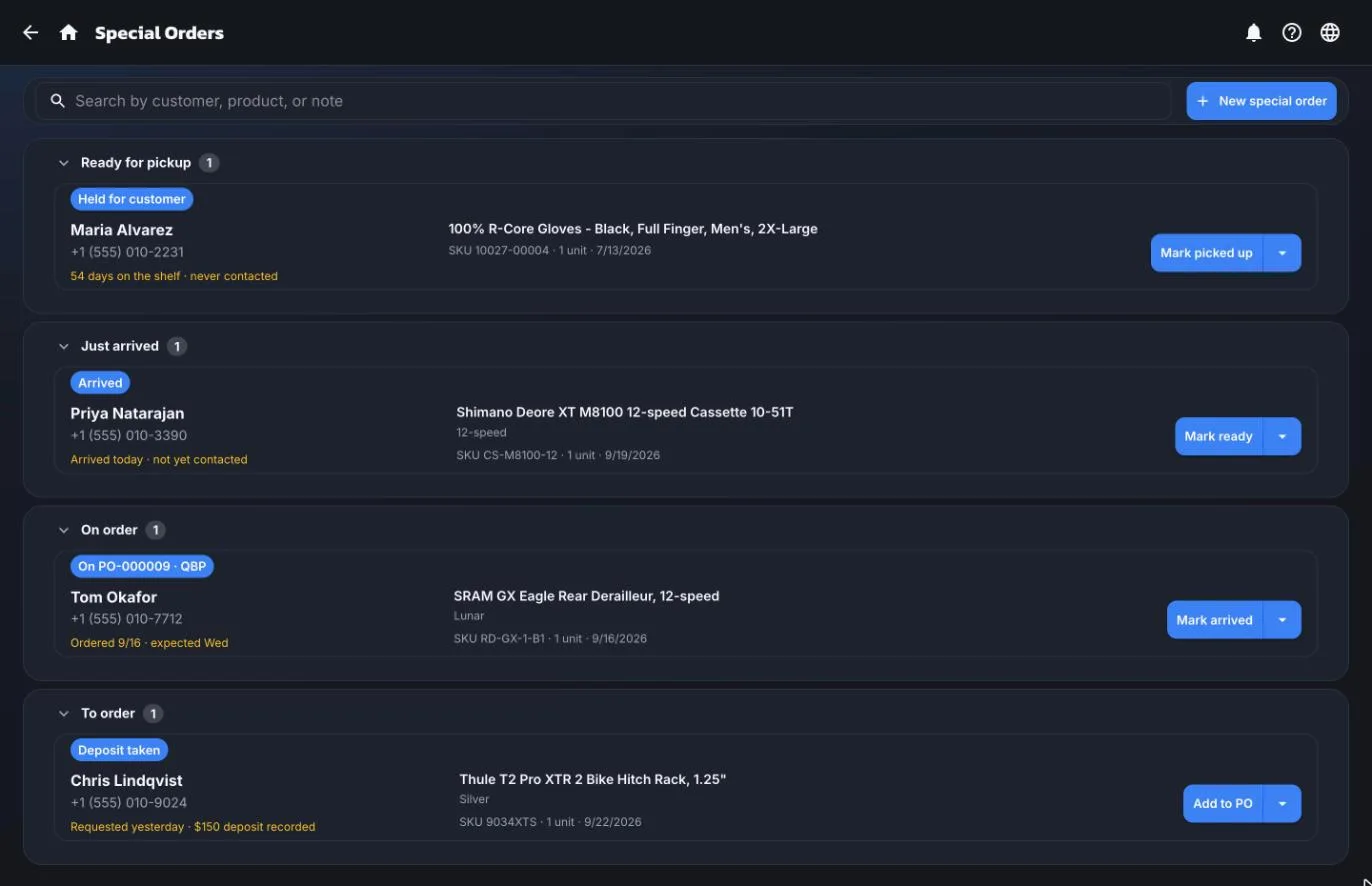
Requested, ordered, arrived, ready, picked up. The list sorts into the buckets a shop actually works: ready for pickup, just arrived, on order, to order.
Claim it off an order you already placed
If the part is already on a stock purchase order, claim that line for the customer instead of buying it twice. If it turns out to be on the shelf, fulfil it from stock.
The customer hears the moment it lands
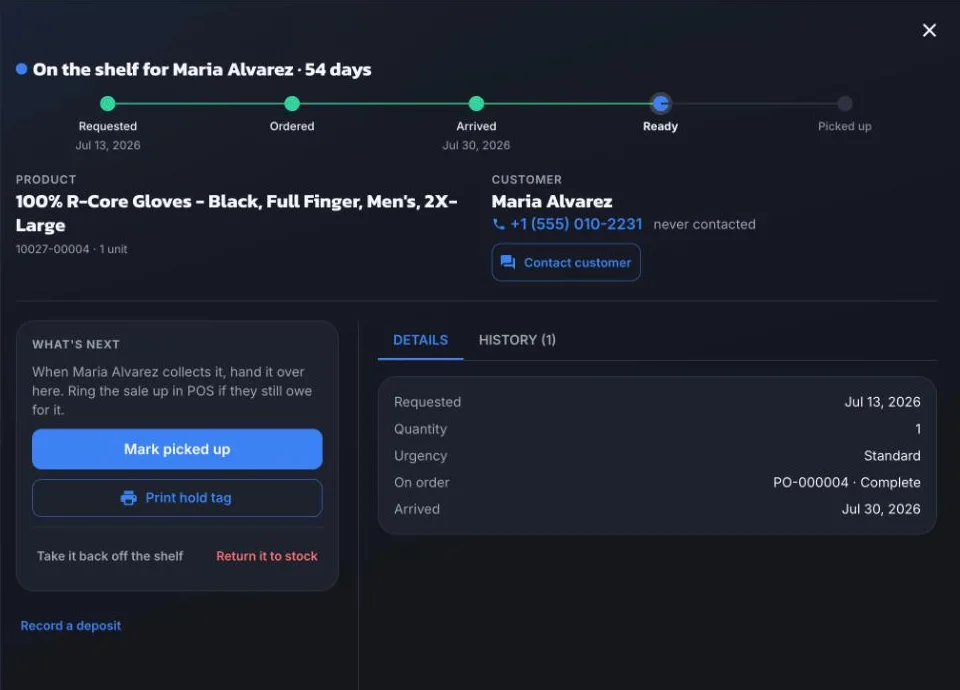
When a part goes on the hold shelf, ShopTech asks how the customer should find out and sends the text. Every send, and every failure, goes on the timeline, so nothing sits on a shelf unannounced.
Deposits on the record
Ring the deposit up in Shopify POS the way you already do and record it against the special order. The balance is right at pickup, and the record survives a cancellation.
Held, not sold out from under them
From arrival to pickup the unit is reserved in Shopify, so nobody sells it off the floor. A hold tag prints for the box with the customer, the item, the work order, and the deposit.
Every stop has a way back
Not actually here? Take it back off the shelf? Undo the pickup? Each stop has one step back and the timeline records why. No support call for a mis-tap.
What nobody collected
A part that went back on the floor is recorded as returned to stock, not cancelled, so you can see how much money sits in parts nobody picked up.
The rest of the app
It doesn't work alone.
Every feature hands off to the next one. That handoff is the whole point.
Work orders
Write a repair ticket in four steps, set a realistic ready date, and track it to pickup.
Learn moreCustomer portal
The link goes out by text on its own. Customers watch the repair progress and message back. No app, no login.
Learn moreSupplier catalog
Search all your suppliers at once. Stock, cost, and the best price side by side, before you order.
Learn morePurchasing
One buy list for the whole shop, then purchase orders sent straight to the supplier, receiving, and special orders that close the loop.
Learn moreInventory
See on-hand stock everywhere, count it without closing, and print the labels.
Learn morePrinting
Print from an iPad, a phone, or a desktop. The ShopTech print client drives any printer and runs jobs on its own.
Learn moreWeb orders
Pick, pack, and hand over online orders without opening Shopify admin.
Learn moreShopify POS
Smart grid tiles, one product catalog, one customer list, and checkout in the register you already use.
Learn more
Start with one repair.
We're onboarding shops ahead of general release. Tell us about yours and we'll have you writing work orders within the week. 14-day free trial, billed through Shopify.