
Supported suppliers
Who's connected, and what each one offers.
4 live supplier connections, all searchable at once. Each connection offers what that supplier's system allows.
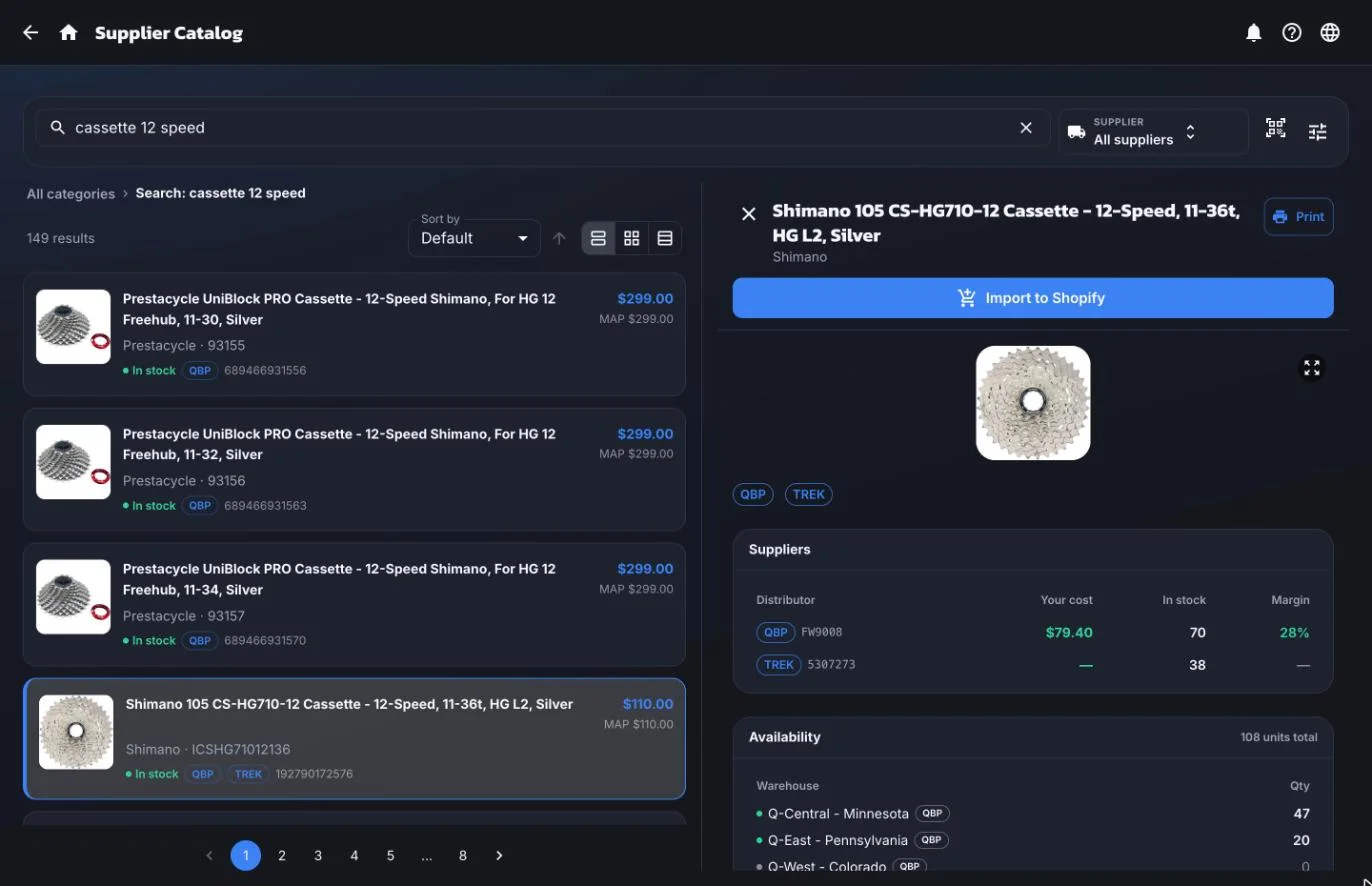
- Catalog search
- Find parts by name, manufacturer part number, or barcode.
- Live stock
- Current availability, synced from the supplier.
- Your dealer cost
- Your account's pricing, not list price.
- Warehouse-level stock
- Which regional warehouse actually has the part.
- Purchase orders
- Purchase orders and receiving, addressed to the supplier.
- Direct order submission
- The purchase order goes from ShopTech to the supplier with one tap.
- Drop-ship orders
- Ship straight to the customer's door.
- Shipment tracking
- Tracking pulled back onto the purchase order.
- Cart file export
- A file built from the purchase order that the supplier's website accepts in one upload.
Live connections
Connected to the supplier's own system with your account. Stock, cost, and orders move on their own.
| Supplier | Catalog search | Live stock | Your dealer cost | Warehouse-level stock | Purchase orders | Direct order submission | Drop-ship orders | Shipment tracking | Cart file export |
|---|---|---|---|---|---|---|---|---|---|
| QBPQuality Bicycle Products. Uses your QBP API key and EFTP account. Orders can be held on qbp.com for review before they're placed. | Yes | Yes | Yes | Yes | Yes | Yes | Yes | No | No |
| J&B ImportersUses your J&B account. Pick the ship-from warehouse per line and attach a prepaid label. | Yes | Yes | Yes | Yes | Yes | Yes | Yes | Yes | No |
| BTIBicycle Technologies International. Uses your bti-usa.com login. Orders go out as a cart file you upload to BTI in one step. | Yes | Yes | Yes | Yes | Yes | No | No | No | Yes |
| TrekIncluded for every shop. No Trek login needed. | Yes | Yes | No | Yes | Yes | No | No | No | No |
Not on the list?
Tell us who you buy from.
If your supplier has a dealer API or a data feed, tell us which one and we'll look at connecting it.
Supplier questions
The specifics.
Can ShopTech handle special orders for parts?
Yes, as a feature of its own. A special order is taken at the register with a POS tile or by flagging a line on a work order. It goes on the shop's clipboard to buy, or gets claimed off a stock order you already placed, then it's tracked through arrival, the hold shelf, and pickup. You can record a deposit taken in POS, the customer gets a text when the part lands, a hold tag prints for the box, and the unit is reserved in Shopify so nobody sells it off the floor. For a repair, receiving the part tells you immediately whose bike can move to the stand.
Can I order parts from my suppliers and distributors inside ShopTech?
Yes, and from more than one at a time. Search every connected supplier by product name, manufacturer part number, or barcode, and ShopTech lines their stock and cost up side by side with the best price marked, down to which regional warehouse has the part. Pull the one you want straight onto a purchase order. For suppliers that support it, ShopTech then submits the order to the supplier directly, so nothing gets re-keyed into their website.
Which suppliers does ShopTech connect to?
Live connections today are QBP, J&B Importers, BTI, and Trek, each offering what that supplier's system allows: catalog search, live stock, your dealer cost, warehouse-level availability, and, for QBP and J&B, direct order submission with drop-ship. BTI orders go out as a cart file you upload in one step. The supported suppliers page lists every connection and its functions. If yours isn't on it, tell us which one.

One search, every supplier.
We're onboarding shops ahead of general release. Connect your supplier accounts on day one of the trial.